
Google Business Profile Optimization: 10 Tips to Rank in Local Search
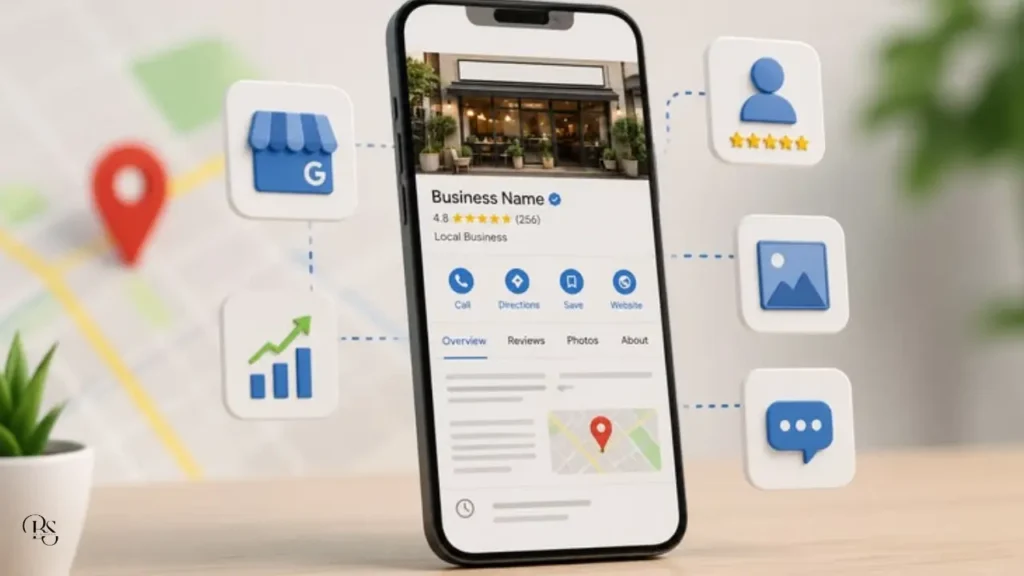
Google Business Profile optimization is one of the fastest ways to help local customers find your shop on Google Search and Google Maps. When someone types “salon near me” or “restaurant in Manjeri”, Google shows a small group of businesses with ratings, photos and directions. If your profile is complete and well managed, you can be one of them.
In this guide, you will learn ten practical tips for Google Business Profile optimization that any small business in Kerala can follow, even without technical knowledge.
What Is a Google Business Profile?
A Google Business Profile is a free listing that shows your business name, address, phone number, opening hours, photos, reviews and website on Google. It appears when people search for your business name or for services near them. Good Google Business Profile optimization turns this free listing into a steady source of calls, direction requests and store visits.
Why Google Business Profile Optimization Matters for Local Businesses
Local searches usually come from people who are ready to act. Someone searching for a nearby clinic, mobile shop or bakery often wants to call or visit within hours. Here is why your profile matters:
- High intent: People searching locally are close to buying.
- Free visibility: Creating and managing a profile costs nothing.
- Trust: Photos and reviews help new customers feel confident.
- Easy action: Customers can call, get directions or open your website in one tap.
Tip 1: Claim and Verify Your Profile
Search for your business on Google. If a listing already exists, claim it. If not, create a new one on the official Google Business Profile website. Complete the verification process so that you can control the information shown. An unverified profile cannot be fully managed.
Tip 2: Add Complete and Accurate Information
The foundation of Google Business Profile optimization is accurate information. Add your exact business name, address, phone number, website and opening hours. Keep the name, address and phone number identical everywhere online, including your website, Instagram and Facebook page. Small differences confuse Google and customers. Update your hours before festivals and holidays.
Tip 3: Choose the Right Primary Category
Your primary category tells Google what your business is. Choose the most specific one, for example “Bakery” instead of a general term like “Shop”. Then add a few secondary categories for other services you offer. A correct category helps Google show your business for the right searches.
Tip 4: Write a Helpful Business Description
Use the description to explain what you offer, who you serve and what makes you different. Write naturally, mention your town or area once and avoid stuffing keywords or adding phone numbers and offers. Clear and honest writing works better than repeating search terms.
Tip 5: Upload High-Quality Photos and Videos
Photos are an easy win in Google Business Profile optimization, because profiles with real photos look more trustworthy. Upload clear pictures of your shop front, interior, products, team and happy moments. Add new photos regularly, and use natural light. Avoid stock images, because customers want to see the real place before they visit.
Tip 6: Add Your Products and Services
List your main products or services with short descriptions and, when possible, prices. This answers customer questions before they ask and helps your profile match more specific searches. Keep the list updated whenever you add something new.
Tip 7: Collect and Reply to Reviews
Reviews are a major part of Google Business Profile optimization. Politely ask happy customers to leave a review, and share your review link through WhatsApp or a QR code at your counter. Never buy fake reviews or offer money for them. Reply to every review. Thank people for positive feedback, and respond to negative reviews calmly and professionally. Your replies are read by future customers too.
Tip 8: Post Regular Updates
Share offers, events, new arrivals and announcements through your profile. Regular updates show that your business is active and give customers a reason to choose you today. Keep posts short, add a good image and include a clear call to action.
Tip 9: Make It Easy to Contact You
Make sure your phone number works and your opening hours are correct. If your profile allows messaging or booking links, respond quickly. Slow replies lose customers to the next business on the map.
Tip 10: Connect Your Profile With Your Website and Social Media
Link your profile to your website and place your Google Maps location on your contact page. Share your profile link on Instagram, Facebook and WhatsApp. This kind of connected Google Business Profile optimization builds trust and sends more people to the same place. For a wider growth plan, read our guide to social media marketing in Malappuram.
Common Mistakes in Google Business Profile Optimization
- Using a business name with extra keywords added
- Leaving old phone numbers or timings on the listing
- Ignoring customer reviews
- Uploading very few or low-quality photos
- Creating duplicate listings for the same shop
A Simple Weekly Routine to Keep Your Profile Fresh
You do not need hours every week. Follow this short routine:
- Reply to any new reviews or questions.
- Upload one or two new photos.
- Share one update or offer.
- Check that your hours and contact details are still correct.
- Review your insights once a month to see what customers do most.
How Long Does It Take to See Results?
Google Business Profile optimization is not a one-time job. Small improvements such as better photos and correct hours can help quickly. Reviews, activity and consistent information build ranking strength over weeks and months. Check your profile insights regularly to see how many people called, visited your website or asked for directions.
Final Thoughts on Google Business Profile Optimization
You do not need technical skills to succeed with Google Business Profile optimization. You need accurate details, real photos, honest reviews and regular updates. Spend one hour setting up your profile properly, then ten minutes every week keeping it fresh.
If you want local search and social media working together for your business, see my digital marketing services or contact me. To run ads that send people to your profile and website, read our beginner guide to Meta ads for small business.